Minilyzer
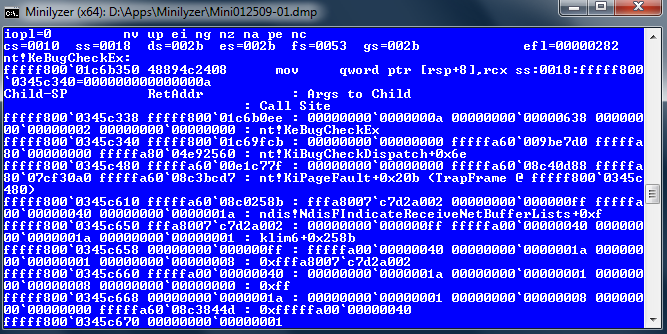 Minilyzer is a Windows shell script that uses Microsoft’s Debugging Tools for Windows to analyze the Minidump files that are created when a BSOD occurs and generate a report detailing the event. Full memory dumps (C:.dmp) can also be analyzed.
The report contains the output of several commands fed to Microsoft’s Kernel Debugger (kd.exe). Here is an example of what a Minilyzer report might look like. Minilyzer repeats several key values at the bottom of the report, so you may just need to look at those. They might look like this:
DEFAULT_BUCKET_ID: VISTA_DRIVER_FAULT
MODULE_NAME: L1E60X64
IMAGE_NAME: L1E60X64.sys
For a simple step-to-step user’s guide, see the article: How to Use Minilyzer to Find Out Why Windows Crashed.
Download
| Platform | Version | Package | Size |
|---|---|---|---|
| Windows | 1.1 – 2009-01-25 | minilyzer.cmd (right-click -> Save as…) | 7.3 KB |
| Git repository | Development | https://github.com/patrickmn/minilyzer |
Usage Methods
-
Run
minilyzer.cmd. It will attempt to analyze the newest DMP file in %WinDir%. - Drag and drop a Minidump file onto the script.
-
From a command prompt, type e.g.:
minilyzer.cmd “C:012309-01.dmp”. -
Change the
minidump_filevariable in the script, then run it.
Requirements
- Windows 2000 or later.
- Debugging Tools for Windows (x86 or x64) installed. (For Windows 7 or 8 this means running the Windows SDK installer, and choosing the “Debugging Tools” component. You don’t have to install the entire SDK, just that component.)
Notice
- Keep the symbol cache folder in the same folder as minilyzer.cmd for speedier future debugging.
- Minilyzer will, by default, not have read rights on the DMP files in %WinDir%on Windows with UAC enabled. Simply copy the Minidump file to your desktop first or give yourself read rights in the file’s Security settings to get around this.
- Minilyzer with Debugging Tools for Intel Itanium (IA-64) Native has not yet been tested.
FAQ
Q: Can I use Minilyzer with the 32-bit Debugging Tools for Windows on a 64-bit system?
A: Yes! Just set x86dbg_path to %ProgramFiles(x86)%Tools for Windows (x86) (or whichever directory your Debugging Tools are installed in) inside the script.
Q: Can I use the 64-bit Debugging Tools to analyze a Minidump from a 32-bit system, and vice versa?
A: Yes! The 64-bit Debugging Tools can debug Minidumps from 32-bit systems, and the 32-bit Debugging Tools can debug Minidumps from 64-bit systems.
Q: So, what does Minilyzer actually do?
A: Minilyzer is nothing grand! It’s basically a flexible, user-friendly(ish) way of doing either:
echo !analyze -v;r;kv;lmnt;q | "C:\Program Files\Debugging Tools for Windows (x86)\kd.exe" -y "srv*Debugging Symbols*http://msdl.microsoft.com/download/symbols" -logo logfile.txt -z "C:\Windows\Minidump\mini012309-01.dmp"
or manually:
"C:\Program Files\Debugging tools for Windows (x86)\kd.exe" -z "C:\Windows\Minidump\mini012309-01.dmp"
kd> .logopen logfile.txt
kd> .sympath srv*Debugging Symbols*http://msdl.microsoft.com/download/symbols
kd> .reload
kd> !analyze -v
kd> r
kd> kv
kd> lmnt
kd> .logclose
kd> q
Q: Can I make X do Y?
A: Probably! Right-click minilyzer.cmd, click Edit, and have a swing at all of the variables at the top that control most of the script’s behavior. Nobody’s going to stop you from changing the actual ‘code’ either!
License
Minilyzer is released under the MIT license (see source).